
Photoshop is a powerful design tool, but for many beginners it can feel overwhelming at first. With so many panels, tools, and options on the screen, it’s hard to know where to start. Among all these features, one stands out as the true backbone of Photoshop: the Layers Panel. Understanding how layers work can completely change the way you design, edit, and create. In simple terms, if you learn the Layers Panel, you learn Photoshop.
What Is the Layers Panel?
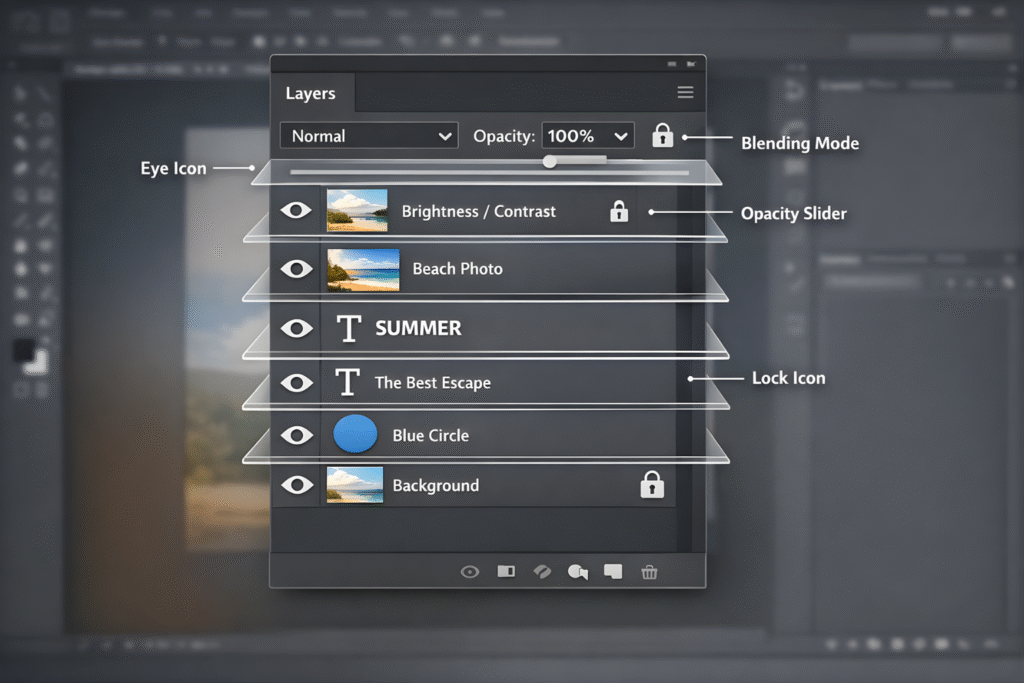
The Layers Panel is where Photoshop organizes every element in your project. Think of it like a stack of transparent sheets placed on top of each other. Each sheet (or layer) holds something different—an image, text, shape, or adjustment. You can see, hide, move, or edit each layer without affecting the others.
This separation is what makes Photoshop flexible and forgiving. Instead of working on one flat image, you work with multiple pieces that can be adjusted at any time.
Non-Destructive Editing Made Easy
One of the biggest reasons the Layers Panel is so important is non-destructive editing. This means you can make changes without permanently damaging your original image.
For example, if you want to adjust brightness or color, you can use adjustment layers instead of editing the image directly. If you don’t like the result later, you can turn the layer off, tweak it, or delete it entirely. Your original image remains untouched. This freedom to experiment without fear is essential for creative work.
Better Control Over Your Design
The Layers Panel gives you full control over every part of your design. You can rename layers, group them, lock them, or change their order. This is especially useful when working on complex projects like posters, social media graphics, or photo manipulations.
By organizing layers properly, you always know what element you’re working on. Instead of guessing or undoing mistakes, you can simply select the right layer and make changes quickly and confidently.
Easy Editing and Revisions
Clients and projects often require changes. Text needs to be updated, colors adjusted, or elements moved. With layers, these revisions are simple.
Because each element is on its own layer, you don’t have to redo your entire design. You can edit text without touching the background, replace an image without affecting effects, or adjust shadows independently. The Layers Panel saves time and reduces frustration, especially when working under deadlines.
Creative Effects and Blending
Many of Photoshop’s most impressive effects rely on layers. Blending modes, opacity settings, masks, and layer styles all live in the Layers Panel. These tools allow you to create shadows, highlights, textures, and unique visual effects with ease.
Layer masks, in particular, are powerful. They let you hide or reveal parts of a layer without deleting anything. This gives you precision and flexibility that simply isn’t possible without layers.
Essential for Every Skill Level
Whether you are a beginner learning basic photo editing or a professional designer creating advanced compositions, the Layers Panel is always in use. Beginners rely on it to avoid mistakes, while professionals use it to manage complex workflows.
No matter how advanced your skills become, layers remain at the center of everything you do in Photoshop.
Conclusion
The Layers Panel is not just another feature—it is the heart of Photoshop. It allows non-destructive editing, better organization, creative freedom, and easy revisions. Once you understand how layers work, Photoshop becomes less confusing and much more powerful.