
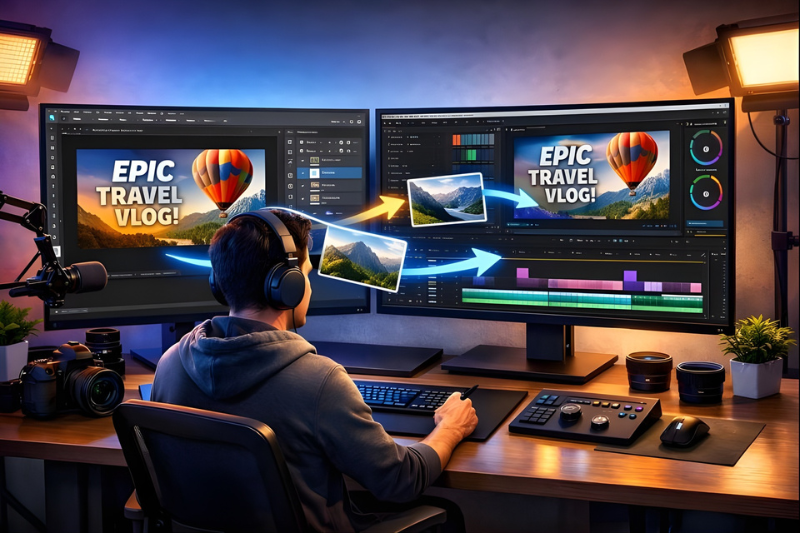
Creativity today often means blending different types of media—photos, videos, graphics, and text—to make something visually appealing. Adobe offers two powerful tools that help artists, designers, and video creators achieve this: Photoshop and Premiere Pro. While Photoshop is primarily used for editing images, Premiere Pro is designed for video editing. When used together, these programs can unlock new creative possibilities. Let’s explore how they work together and why combining them can enhance your projects.
1. Creating Graphics in Photoshop for Video
One of the most common ways Photoshop and Premiere Pro work together is through graphics. Photoshop allows you to create high-quality images, illustrations, or text designs. These graphics can be anything from a logo, lower thirds, title screens, or even custom backgrounds.
Once the graphics are ready in Photoshop, they can be exported in formats that Premiere Pro supports, like PNG or PSD files. A key advantage of exporting as a PSD is that layers are preserved. This means in Premiere Pro, you can animate different parts of your design separately, giving more control over how elements appear on the screen.
For example, if you create a layered title in Photoshop, you can animate each word or icon individually in Premiere Pro. This flexibility makes your videos look professional and dynamic without needing to design everything directly in the video editor.
2. Using Photoshop to Enhance Video Stills
Sometimes, a video project needs a still image, like a thumbnail, poster, or promotional content. Photoshop excels at enhancing images with tools like color correction, filters, and retouching. You can take a single frame from Premiere Pro and bring it into Photoshop for adjustments.
After editing, the improved image can be exported back to Premiere Pro or used across social media. This workflow ensures that both your video and still visuals maintain the same professional quality. By combining Photoshop’s image editing strengths with Premiere Pro’s video capabilities, your creative output becomes consistent and polished.
3. Designing Animated Graphics
Premiere Pro has basic tools for animation, but for more complex or visually striking animations, Photoshop comes in handy. For instance, you can design characters, shapes, or intricate elements in Photoshop and save them in layers. These layered files can then be imported into Premiere Pro or even After Effects if advanced motion is needed.
Using Photoshop for animation preparation saves time because you’re not trying to draw or create complex designs inside a video editor. Instead, you can focus on arranging and animating your designs in Premiere Pro. This teamwork between programs makes complex animation projects much more manageable.
4. Seamless Color and Style Consistency
Another benefit of using Photoshop and Premiere Pro together is maintaining a consistent style across all your content. Colors, textures, and effects can be carefully matched between images and video. For example, if you create a specific color palette in Photoshop, you can apply the same tones in Premiere Pro to video clips, titles, or graphics.
This ensures that your project has a unified look, which is especially important for brand videos, social media content, and professional projects. Consistency helps viewers instantly recognize your style and makes the final project more visually appealing.
5. Efficiency and Creative Freedom
Finally, using Photoshop and Premiere Pro together saves time and encourages creativity. Instead of limiting yourself to what each program can do individually, you can combine their strengths. Photoshop handles precise image editing and graphics design, while Premiere Pro focuses on video sequencing, effects, and audio.
This combination allows creators to work more efficiently and experiment freely. You can try different designs, animations, and color schemes without being stuck in one tool. The result is content that looks polished, professional, and unique.
Conclusion
Photoshop and Premiere Pro are powerful individually, but together, they give creators almost limitless possibilities. From designing stunning graphics to enhancing video frames and maintaining style consistency, these programs complement each other perfectly. Understanding how to use them in tandem can elevate your creative projects and make your content stand out. Whether you are a beginner or an experienced professional, learning this workflow can take your videos and visuals to the next level.