
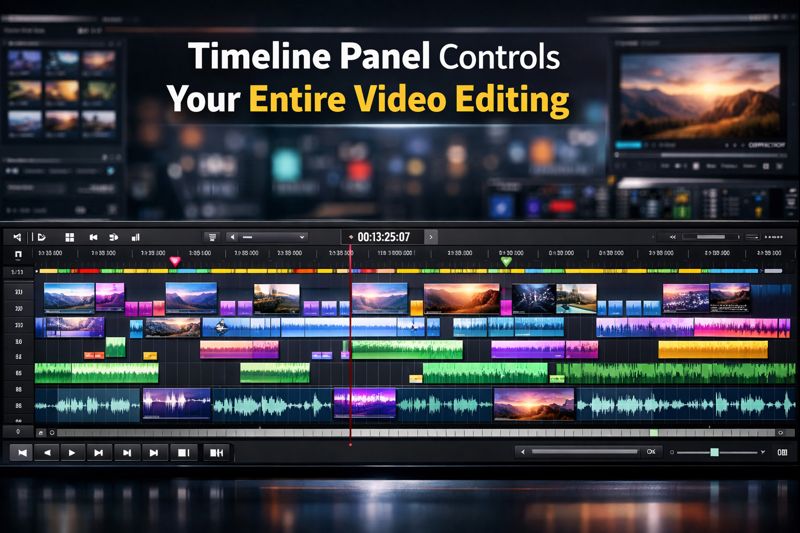
Video editing software includes many tools and panels that help create professional content. You may see sections like the media library, preview screen, and effects panel. While all of these are useful, the timeline panel is the most important part of the editing process. It is where your video takes shape, and every editing decision happens here. From arranging clips to syncing audio and adding effects, the timeline controls your entire workflow.
Understanding the Timeline Panel
The timeline panel is a horizontal area where video and audio clips are placed in sequence. Each clip has a clear beginning and end, allowing editors to see how the video flows over time. This layout makes it easy to organize content and understand the structure of the project. Without a timeline, editors would struggle to manage timing, order, and continuity.
Organizing and Shaping the Story
One of the main functions of the timeline is helping editors tell a story. The order in which clips appear determines how viewers experience the video. Editors can move scenes, remove unwanted sections, or add new clips directly on the timeline. This flexibility allows quick changes to improve storytelling. The timeline also helps control pacing by showing how long each scene lasts, making it easier to keep the video engaging.
Precise Editing and Timing Control
The timeline gives editors full control over timing and accuracy. Simple tools like cutting, trimming, and splitting allow precise adjustments. Editors can work frame by frame to create smooth cuts and natural transitions. Even small timing changes can improve the quality of a video. This level of precision is essential for professional editing and is only possible through the timeline panel.
Managing Audio Efficiently
Audio is a major part of any video, and the timeline plays a key role in handling it. Separate audio tracks allow editors to organize dialogue, background music, and sound effects clearly. The timeline helps ensure audio stays synced with visuals. Editors can adjust volume levels, add fades, and align sounds perfectly with on-screen actions. Proper audio control through the timeline improves clarity and viewer experience.
Adding Effects and Transitions
Visual effects and transitions are also controlled using the timeline panel. When a transition is added, it appears between two clips on the timeline, showing exactly when it starts and ends. Effects such as color correction, slow motion, or text overlays are placed on specific clips. This allows editors to control the timing and duration of each effect, ensuring they enhance the video rather than distract viewers.
Improving Editing Speed and Organization
The timeline includes tools that help editors work faster and stay organized. Markers can be placed at important points to guide editing. Track locking prevents accidental changes, especially in complex projects. Clip grouping helps keep related video and audio clips together when moving them. These features reduce mistakes and save time, making the editing process more efficient.
Supporting Collaboration and Revisions
The timeline also makes collaboration easier. Feedback is often shared using timecodes, which refer to exact points on the timeline. This allows editors to find and fix issues quickly without confusion. Whether working with clients or team members, the timeline ensures revisions are clear and accurate.
Conclusion
The timeline panel is the foundation of video editing. It controls how clips are arranged, how audio is managed, and how effects are applied. Every step of the editing process depends on the timeline. By mastering the timeline panel, editors can work more confidently, improve efficiency, and create high-quality videos that look professional and polished.